
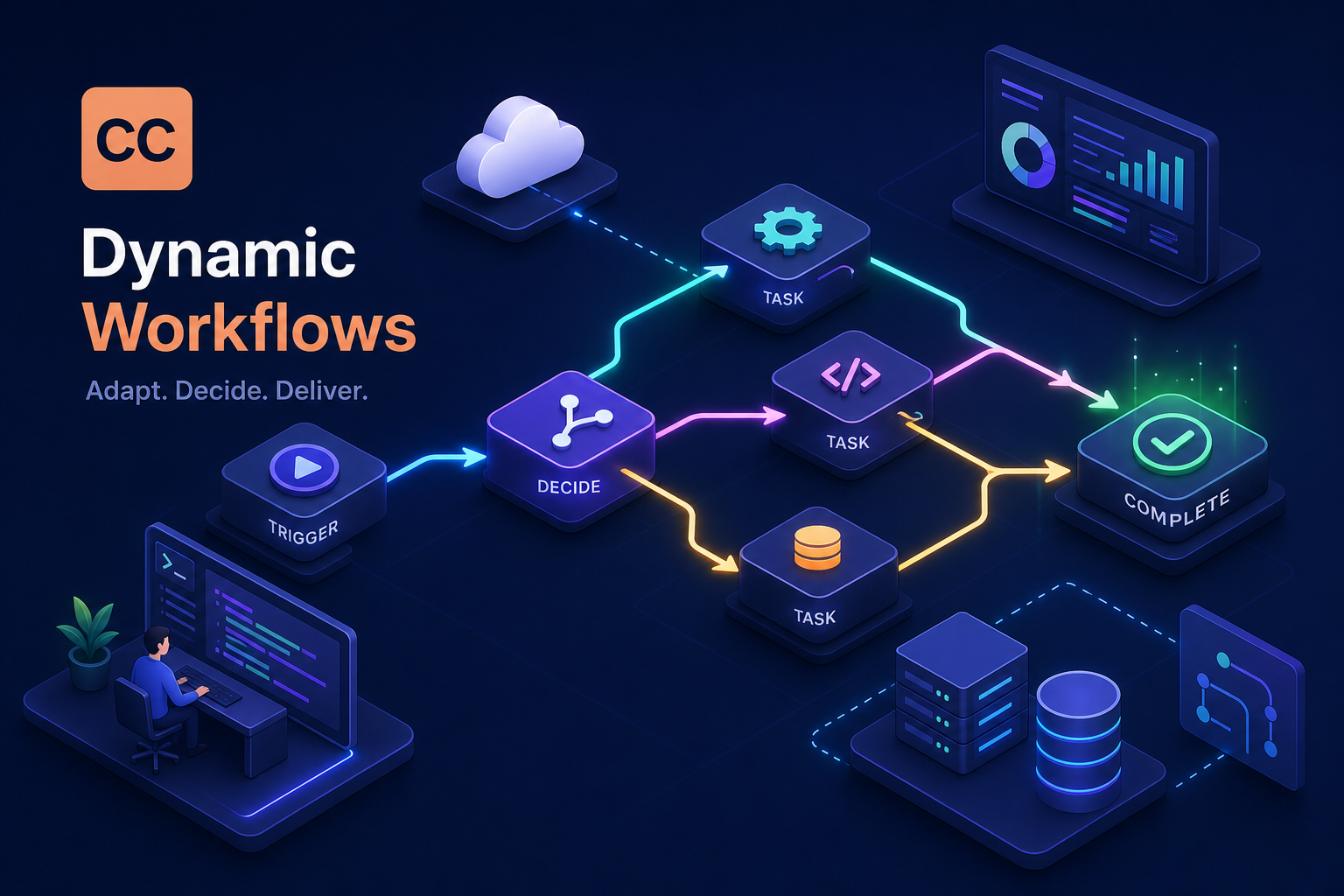
Static pipelines break. Not occasionally, not in edge cases, they break predictably whenever the task is too large for one conversation, too branchy for a fixed prompt chain, or too unpredictable for a hardcoded sequence of steps. You've hit this wall if you've ever tried to run a full codebase audit in a single Claude session, or watched a multi-step migration script fall apart the moment step three produced something step four wasn't designed to handle. Claude Code dynamic workflows were built for exactly this situation, and they approach the problem from a fundamentally different architectural angle.
The feature, currently in research preview, works differently from what most developers expect. Claude doesn't follow a fixed pipeline. It writes a JavaScript orchestration script in response to your prompt, spawns parallel subagents to execute the work, and routes execution based on what each step actually returns. The main session stays clean and responsive throughout. Before drawing conclusions in this piece, the Claudinhos team ran these orchestration patterns against real codebases and multi-source research tasks, so what follows is practitioner insight, not a documentation summary.
By the end of this article, you'll know what dynamic workflows are under the hood, the two ways to activate them in Claude Code, how the branching logic actually works, which use cases justify the complexity, and what to verify before you scale to a full job.
How Claude Code dynamic workflows actually work
The core mechanism: Claude writes the script, the runtime runs it
A dynamic workflow is not a prompt chain and it's not a fixed DAG. When you request one, Claude generates a JavaScript orchestration script tailored to your task, and Claude Code's runtime executes it in the background. The main session stays responsive while the script runs. Claude stays focused on the final coordinated answer rather than tracking every intermediate result. This separation of the orchestration layer from the conversational layer is the key architectural shift that makes the feature different from anything you can build with a standard multi-turn session.
The orchestration script holds the loop, the branching logic, and the intermediate state. Subagents operate in parallel where the task allows. Results from one stage can reshape what the next stage does. The runtime handles all of this outside the conversation context, which means Claude's attention stays on quality rather than bookkeeping.
Research preview status and what it requires
To use dynamic workflows, you need Claude Code v2.1.154 or laterand a paid plan. The feature runs on supported cloud platforms. Research preview means the behavior can change between versions and some edge cases are still rough. That said, the feature is already useful in its current form for tasks that genuinely exceed what a single conversation can coordinate reliably. Set realistic expectations, but don't let preview status stop you from experimenting on the right class of problem. Anthropic published the initial research preview announcement outlining the feature and its intended use cases for early adopters: introducing dynamic workflows in Claude Code.
Two ways to trigger Claude Code dynamic workflows
The workflow keyword and the approval flow
The first activation path is explicit: include the word “workflow” in your prompt and Claude will propose an orchestration script for your task. Before any script runs, Claude Code surfaces a per-run approval UI. Your options are “Yes, run it,” “View raw script,” “Yes, and don't ask again for this workflow in this path,” and “No.” In the CLI, pressing Ctrl+G opens the generated script in your editor before you approve, and Tab lets you refine the prompt. This confirmation step is intentional. Anthropic designed it to keep a human in the loop before parallel subagents are unleashed, especially during the research preview period (see the official workflows documentation).
Ultracode mode and plan-level defaults
The second activation path is automatic. Running /effort ultracode switches Claude Code into a mode where it evaluates each request and decides whether it warrants a dynamic workflow, without requiring the explicit keyword. In ultracode mode, Claude assesses task complexity, dependency structure, and verification needs internally. If the job is simple enough to handle in a single pass, it stays in standard conversation mode. If the task calls for orchestration, it spins up a workflow on its own judgment.
Plan-level defaults matter here. Dynamic workflows are enabled by default on Max, Team, and Claude Code via the API. On Enterprise, they are off by default and require admin opt-in. If you're deploying Claude Code across a team, confirm your organization settings before assuming workflows are available to all users. The Anthropic docs also recommend enabling auto mode when running dynamic workflows in the Desktop app for the best experience. If you use the VS Code extension, the same plan-level defaults apply, check your connected account's plan tier before triggering your first orchestration run.
How Claude Code dynamic workflows branch and converge
Output at step N shapes the execution of step N+1
This is the defining characteristic that separates dynamic workflows from static multi-step pipelines: the orchestration script reads the results of one subagent's work and uses those results to decide what happens next. The path through the task isn't defined in advance, it emerges from what the task actually contains. Consider a dependency audit workflow: the script might scan a repo's full dependency list first, then conditionally spawn deeper inspection agents only for packages that match a known vulnerability pattern. Every file doesn't get the same treatment regardless of what the surface scan found. Work happens where it's needed.
This conditional routing is what makes dynamic workflows genuinely different from a prompt chain where each step runs regardless of the previous output. The script can also terminate early when an exit condition is met, which matters for cost control on large jobs.
Designing Claude Code dynamic workflows: fan-out, verification, and convergence
The execution pattern for a typical agentic workflow breaks into three phases. First, work fans out across multiple subagents simultaneously, each handling a defined subtask. Then a verification pass checks consistency across subagent outputs before folding results into the final answer. Finally, the workflow converges on a coherent, unified response. That verification pass is not optional overhead, it's what turns parallel execution into a trustworthy result rather than a collection of disconnected outputs that may contradict each other. The script also supports loops and iterative refinement, so Claude can repeat a subtask until a quality threshold is met rather than accepting the first pass.
Use cases where dynamic orchestration pays off
Codebase audits and large-scale migrations
These two use cases represent the clearest wins for dynamic workflows. A codebase audit requires touching many files, correlating findings across modules, and producing a unified report, work that reliably exceeds what one conversation can coordinate. Parallel subagents handle different modules simultaneously, the verification pass reconciles their findings, and the final report reflects the full picture rather than whatever fit in the context window. The built-in /deep-research workflow is the canonical example of this pattern already baked into Claude Code.
Large migrations, such as upgrading an API version across hundreds of call sites, follow the same pattern. Subagents handle different subsystems in parallel, a verification pass confirms correctness, and only then do the results merge. Running the same inspection on every file sequentially in a single conversation is slower and more prone to context overflow. Parallel orchestration with intermediate verification is structurally better for this problem class. For practical audit prompts and checklists when preparing a codebase audit at scale, the community-maintained code audit prompt guide is a useful reference.
Cross-checked research and multi-source synthesis
The second category is tasks where accuracy depends on verifying information across multiple independent sources. The orchestration script assigns different subagents to different source domains, then a final agent cross-references the outputs and flags divergences before drawing conclusions. This produces more reliable results than asking a single conversation to synthesize across sources, because the final pass is explicitly designed to surface contradictions rather than smooth them over. These runs can extend into hours or days. Progress is saved throughout, so interrupted jobs resume exactly where they left off from the /workflows panel using the p shortcut.
Limits, safety, and what to check before you scale
The approval flow as a safety layer and how to configure it
The per-run approval flow isn't friction to work around; it's a deliberate guardrail. Reviewing the generated script before approving is one of the most effective things you can do to catch a misaligned workflow before it burns API budget or touches files you didn't intend. If you need to disable dynamic workflows entirely, three options cover different deployment contexts: toggle them off in /config, set "disableWorkflows": true in ~/.claude/settings.json, or set the CLAUDE_CODE_DISABLE_WORKFLOWS=1 environment variable. Enterprise org admins can disable workflows through managed settings, which matters for teams with compliance requirements around autonomous agent execution.
Runtime behavior, concurrency, and cost realities
The documentation confirms that dynamic workflows can orchestrate work across tens to hundreds of agents running in the background. There is no published hard cap on concurrent subagents in the current docs, so treat that range as a practical guideline rather than a guarantee. On cost: parallel subagent execution multiplies API calls. In our testing, multi-agent workflows consumed roughly 4 to 7 times more tokens than an equivalent single-conversation session, because each subagent carries its own context. The main thread stays cleaner, but total API usage climbs. Test on a scoped subset of your target dataset before committing to a full-codebase run. The platform's headless usage guide also explains how orchestration runs outside the conversational context and the implications for runtime behavior and integrations: headless usage guide.
Production patterns: what held up and what didn't
Script design choices that improve reliability at Claudinhos
Running these orchestration patterns against real codebases and research tasks at Claudinhos revealed a consistent finding: the quality of the orchestration script Claude generates is directly tied to how precisely the initial prompt defines the task scope. Vague prompts produce vague scripts with weak branching logic. Detailed prompts produce scripts with meaningful conditional paths, useful stopping conditions, and verification criteria that actually catch problems. The specific prompt elements worth encoding every time are: explicit success and failure criteria per subtask, the expected output schema from each subagent, and a clear stopping condition for any loops in the script. Getting those three right consistently produces better scripts than any amount of post-hoc prompt adjustment.
When dynamic workflows are the wrong tool
Not every multi-step task benefits from dynamic orchestration, and that's worth stating directly. Single-conversation tasks, simple sequential pipelines with no branching, and tasks where the output of each step is already fully predictable before execution starts are better served by a standard prompt or a /projectcontext. The setup cost and the token multiplier are only worth it when the path through the task genuinely cannot be known until execution begins. If you can write down every step in advance and each step always runs regardless of the previous output, you don't need a dynamic workflow. The complexity earns its place when the task is genuinely unpredictable at the outset.
Start scoped, then scale
Claude Code dynamic workflows give you automation that adapts to what it finds, rather than automation that proceeds regardless. The branching logic, the parallel subagents, the intermediate verification, these aren't features for their own sake. They exist because real tasks, especially large codebases and multi-source research, are inherently non-linear. Fixed pipelines fail precisely because they don't account for what the work actually contains.
Before running your first workflow, confirm three things: verify you're on v2.1.154 or later, review the generated script before approving it, and test on a scoped subset before running a full-codebase job. The approval step is the most valuable one. The script Claude generates is inspectable, and inspecting it before a long run is worth the extra thirty seconds.
This is a research preview, which means the architecture will evolve. The prompt structures that produce reliable orchestration scripts, the use cases where parallel subagents clearly outperform a single conversation, and the verification patterns that produce trustworthy convergence are worth learning now, while the feature is still being shaped. Building fluency with these patterns now means less catch-up when the API stabilizes. At Claudinhos, following these experiments closely is part of what makes the coverage here different from a documentation echo.